A simpler routine for your money.
Follow four steps to track your balance and review your month.
Your monthly routine in 4 steps
A simple rhythm for reviewing your finances each week.
Start the month
Set category limits based on expected income and record recurring expenses.
Weekly review
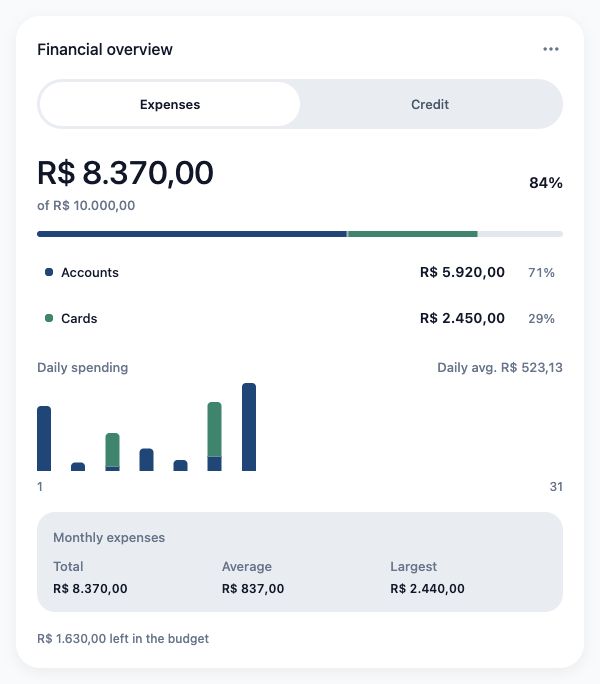
Review connected transactions and check internal transfers separately from expenses.
Card bill review
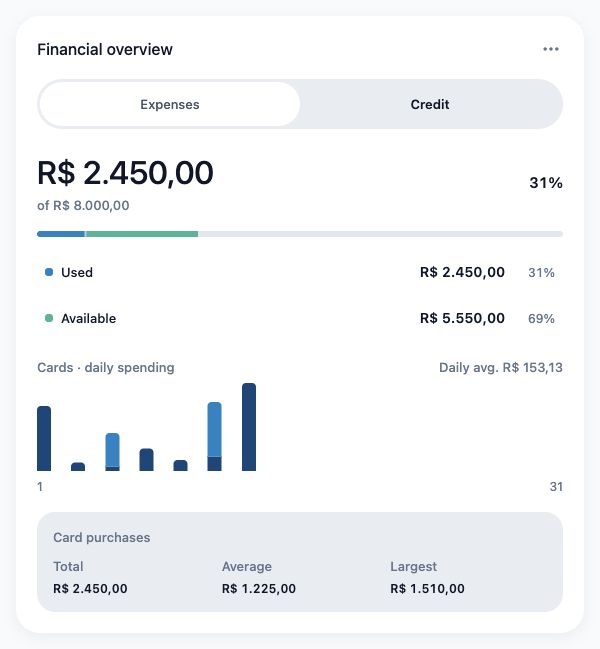
Review purchase dates, committed limits and upcoming card payments.
Adjust goals and savings
Review the available budget and record contributions to your goals.
How Blipen Personal works
Tools to keep your financial records organized.
Automatic sweep filtering
Automatic transfers between checking and savings are filtered from spending calculations.
Smart categorization
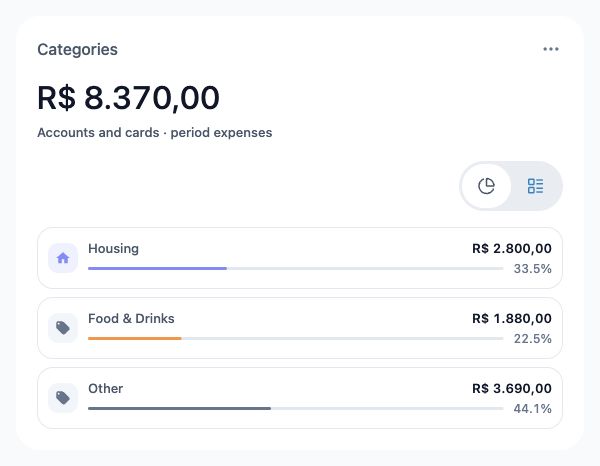
Organize transactions with categories and rules that you can review and adjust.
Personal management questions
Does Blipen move money from my account?
Account connections are used to read and organize financial information. Review each tool's purpose before authorizing it.
How are internal transfers handled?
Blipen filters internal bank movements to avoid duplicating income or spending.
Can I record cash transactions?
Yes. You can enter expenses manually on Free, with categorization that learns from your corrections. Reading receipt photos with OCR requires a compatible paid plan.